
 English
 Deutsch
 Español
 Français
 Italiano
 日本語
日本語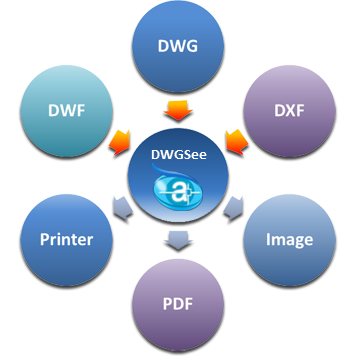

Features
What’s new in DWGSee 2027?
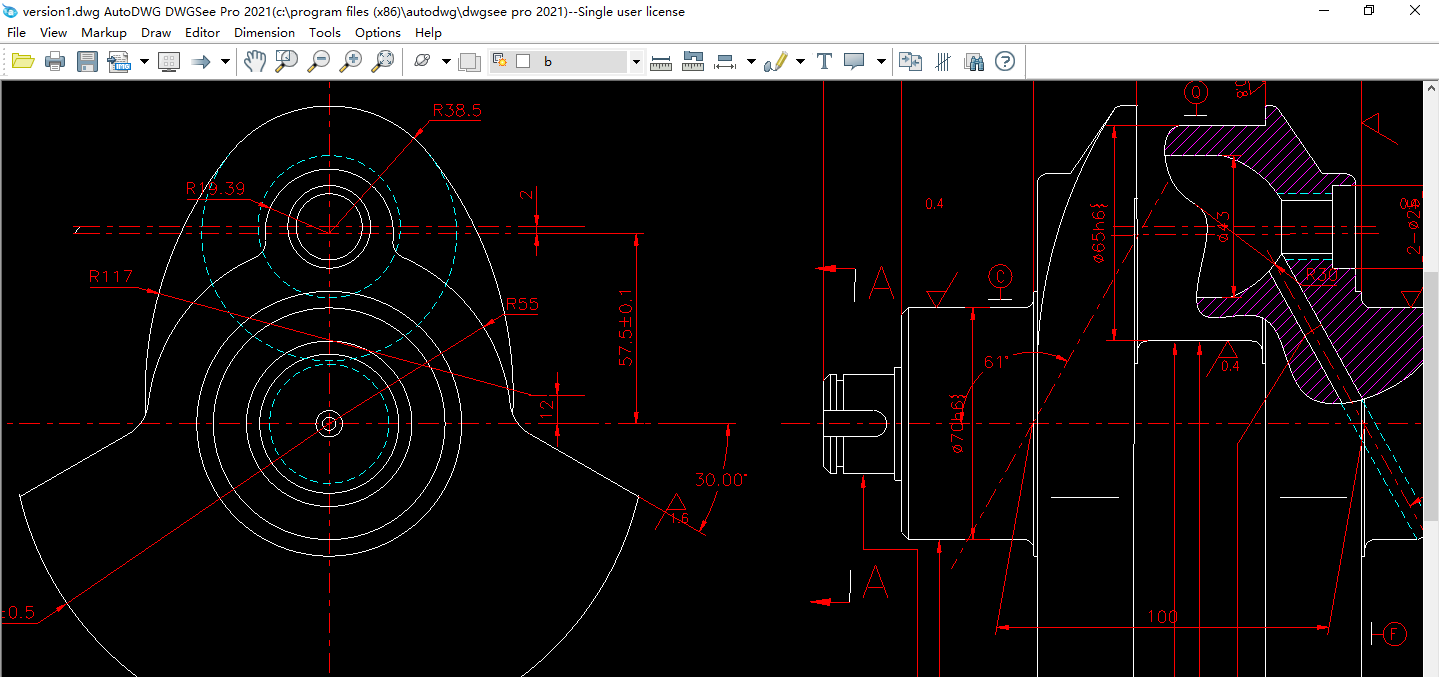
DWGSee 2027 is more than a dwg viewer, it's a quick drawing editor, converter, version comparing tool.
Many objects such as line, polyline, circle, arc, text..., can be easily added into your drawing.
Objects like text, line, layer, block attribute can be edited, or right-click to change the object properties.
Annotation objects include dimensions, notes..., commonly used to add information to your drawing.
More features
DWGSee DWG Viewer is a light and fast viewer, designed to browse, view, edit, measure and print DWG/DXF/DWF files.
Supported formats
Support AutoCAD .dwg .dxf .dwf files, version R14 to the latest 2027, and also can open raster image formats—.bmp .jpg .png .gif .tif.
Save as
Save drawing file to different versions of dwg/dxf files, includes R14- 2027, DWGSee has a build in AutoDWG converter.
Export (Pro version only)
Export drawing to pdf and raster images within few simple steps, good for distributing your designs, or drawing reviews.
Measuring objects (Smart-snap)
Measure length, angle, radius, area, click and get measured values. Easily and accurately click to select entities terminal, central or cross junctions.
Print and batch print
You can open up a DWG/DXF to print out, or, you can select many drawing files to print with few clicks, no need to open each of them.
Markup drawing
You can either retain .dwg and add comments in a separate markup file, or, you can add additional layers, lines and texts to the dwg file.
Compare drawings
Showing two versions of drawing in split windows, synchronize zoom and pan for both drawing, list and highlight differences in drawings.
Miscellaneous features
Searching text in drawing, save layouts to individual drawings, encrypting drawings and protects them with password…
Floating license available
In case your company has many workstations and most of time they are not running DWGSee, then the network license will save your cost.
Terminal server supported
Works for Citrix, XenApp… Window Terminal Server.
See specialized smart features
We develop some smart features for working faster.
Sum line length
Sort out lines by layer/linetype/color or click select lines to calculate the sum of line lengths.
Sum areas
Calculate the sum multiple areas, extract the area data or insert the area data table to current drawing.
Count objects
Auto-check and count similar blocks and symbols in the drawing, or select the objects for count one by one.
Smart Copy
Using smart copy, you may copy the select objects by choosing layer/linetype/color to new drawing.
Extract table
Edit and extract table object to separated csv file. We also support table template customization.
Copy to office
Copy drawing and then paste it to Microsoft word as vector image, you may also share the images to others.
You may also be interested in these items:
PDF to DWG Converter
Help you convert PDF file into DWG, DXF file. high quality, ease of use.
DWG to PDF Converter
Convert DWG and DXF files to PDF files directly without need of AutoCAD.
DWG DXF Converter
A batch bi-directional DWG and DXF converter and File version converter without need of AutoCAD!